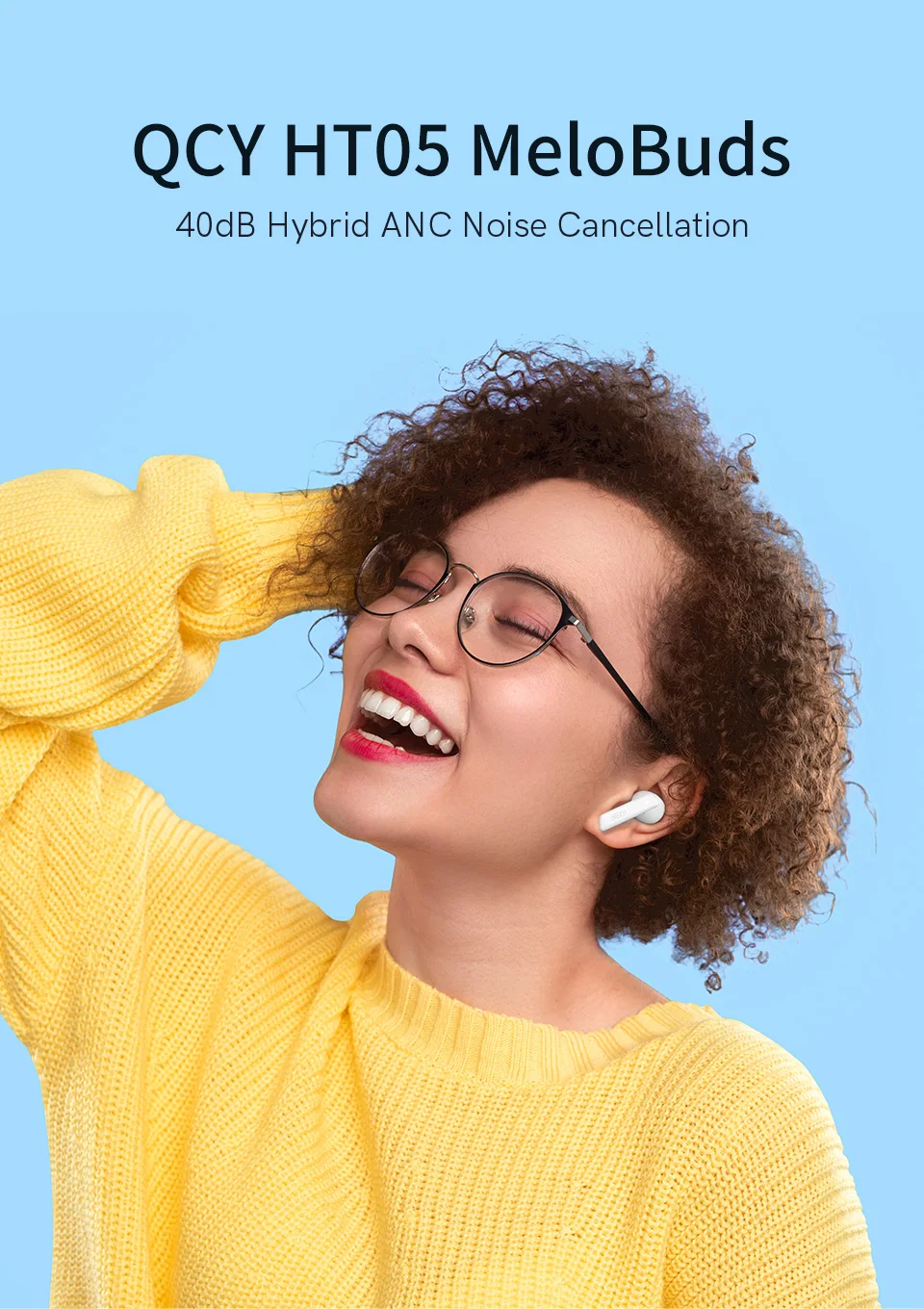
 QCY HT05 Melobuds ANC Wireless Earbuds 40dB Multi-Mode ANC 6 Mics AI-Enhanced Calls Bluetooth 5.2 Earphones Transparency 30H
Multi-Mode Noise Cancelling: Select from 3 noise cancelling modes: transport, outdoor and indoor mode. These modes are optimized for those specific environments, so select a suitable mode based on your location for a better noise-free experience. You can immersive your music world no matter how noisy your environment is.
Immersive Sound, Punchy Bass: The HT05 wireless earbuds adopt 10mm LCP graphene dynamic driver equipped with DAIKOKU CCAW coil to provide powerful deep bass, clear and comfortable stereo with rich details.
AI-Enhanced Call Performance: HT05 noise cancelling earbuds have 6 microphones with an AI algorithm that picks up your voice precisely and blocks out background noise. Be heard clearly whenever you're on calls, video chats, live streams, etc.
Innovative Wind Noise Reduction Technology - Run to your heart's content and leave the wind behind you: Each earbud features a proprietary wind noise reduction algorithm that automatically switches on when the wind reaches a certain speed so that you can enjoy your outdoor activities without being disturbed.
Up to 30 Hours Ultra-long Battery Life: Listen to up to 7.5 hours of music on a single charge, or up to 30 hours when used with the charging case. The Bluetooth Earbuds support USB-C quick charging, simply charge 10 minutes and get up to 2 hours of playtime. Enjoy fast and convenient charging way from now on.
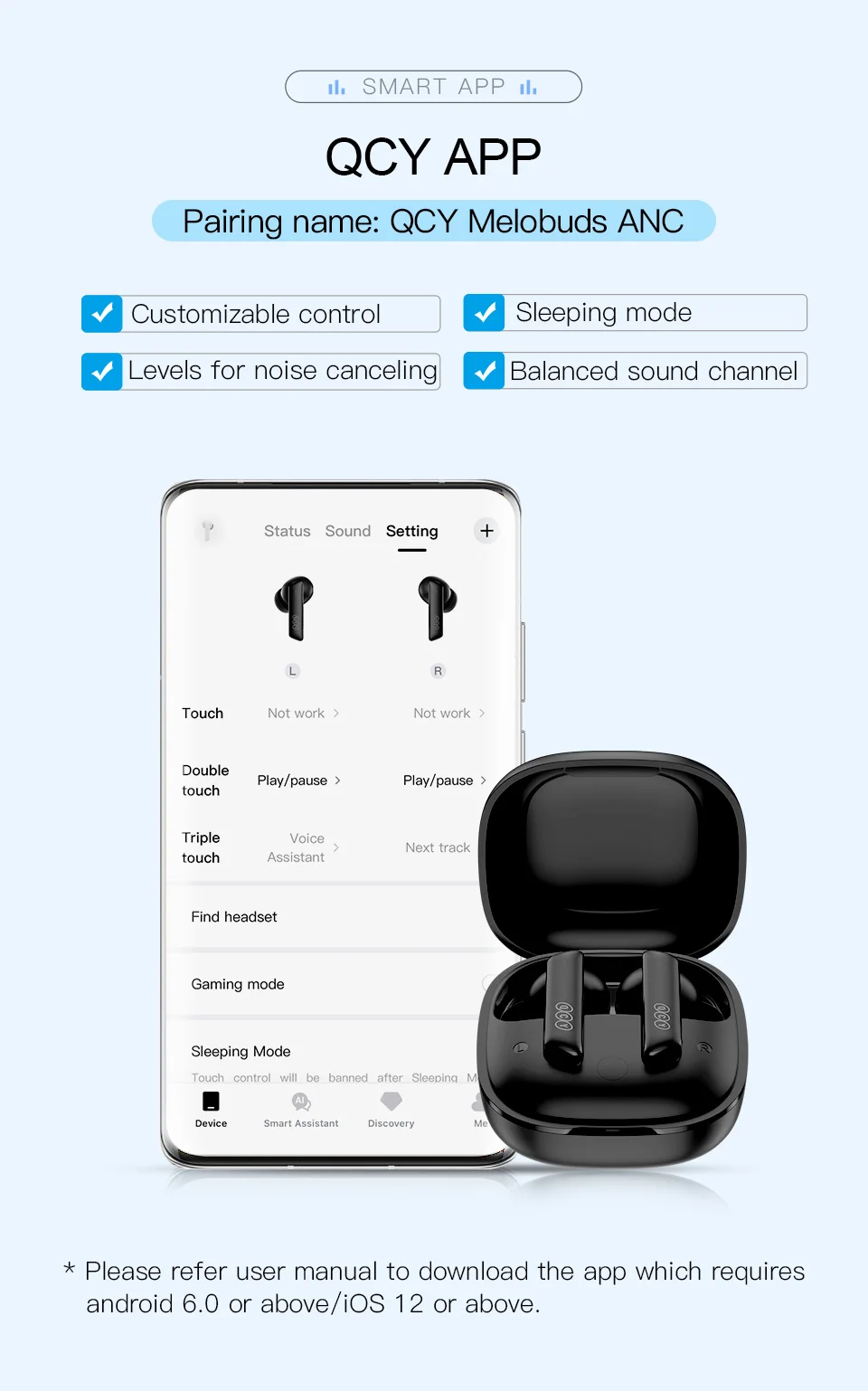
Support QCY APP, Touch Control, Voice assistant, Sleep Mode, Game Mode. IPX5 Waterproof.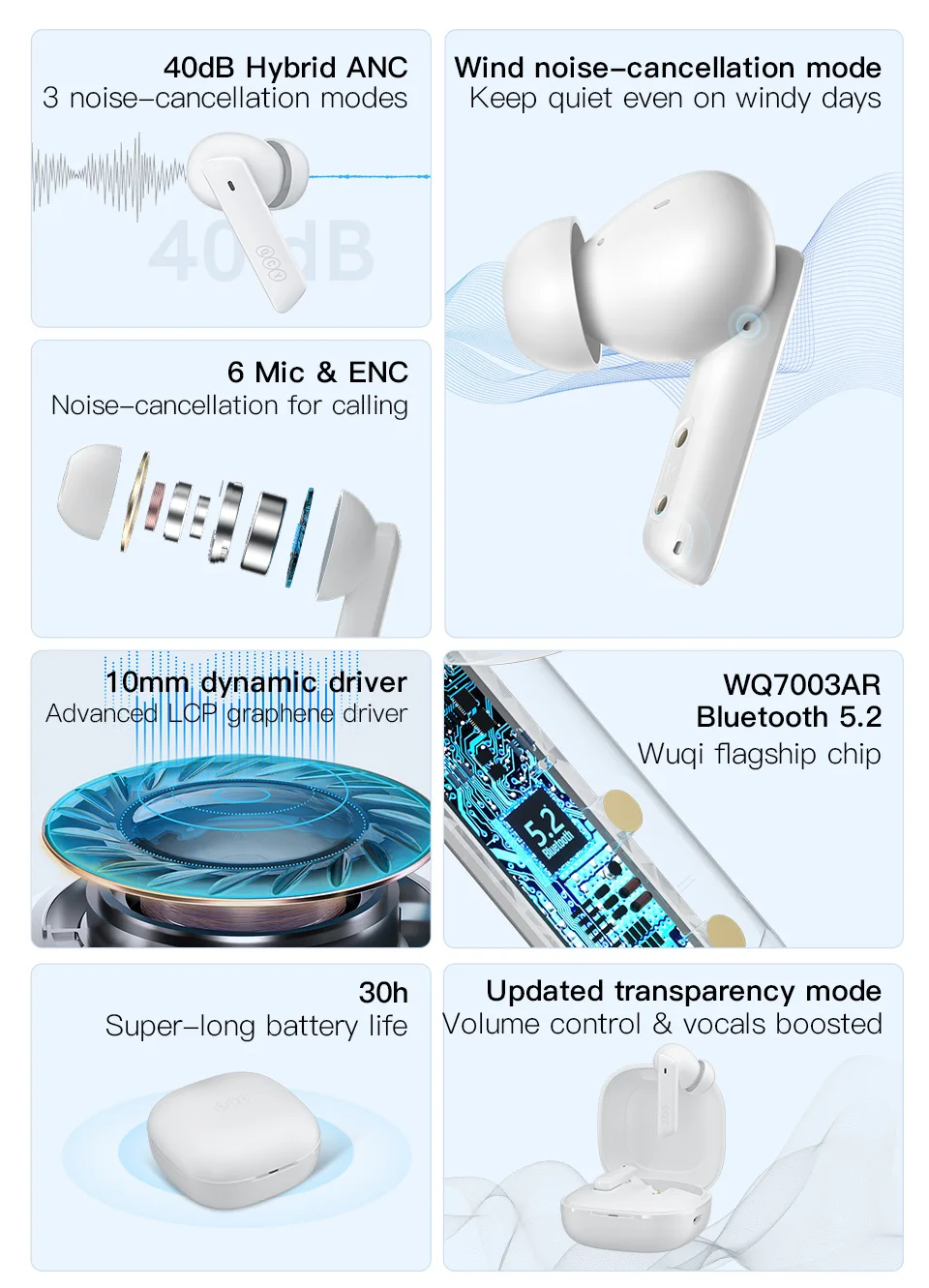


3 Different Noise Canceling Levels
Indoor mode, Commuting mode, Outdoor mode. 3 adjustable settings for every noisy situation.
6-Mic ENC Call Noise Cancellation
Blocking most part of ambient noise, ENC technology enables crystal -clear stereo calling.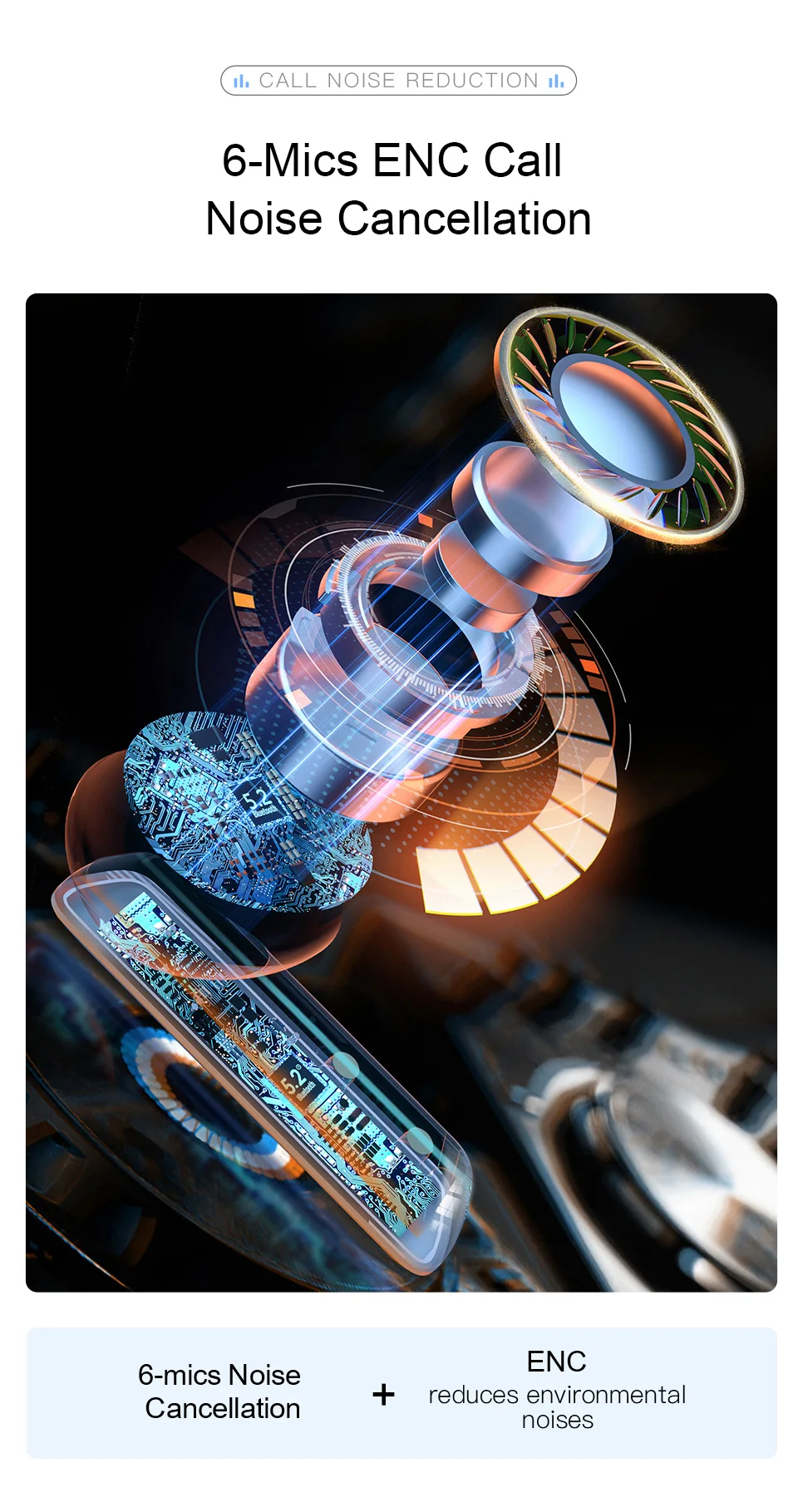
Wind Noise cancellation
Noise cancellation against 45km/h of wind, you can only feel the wind not hear it.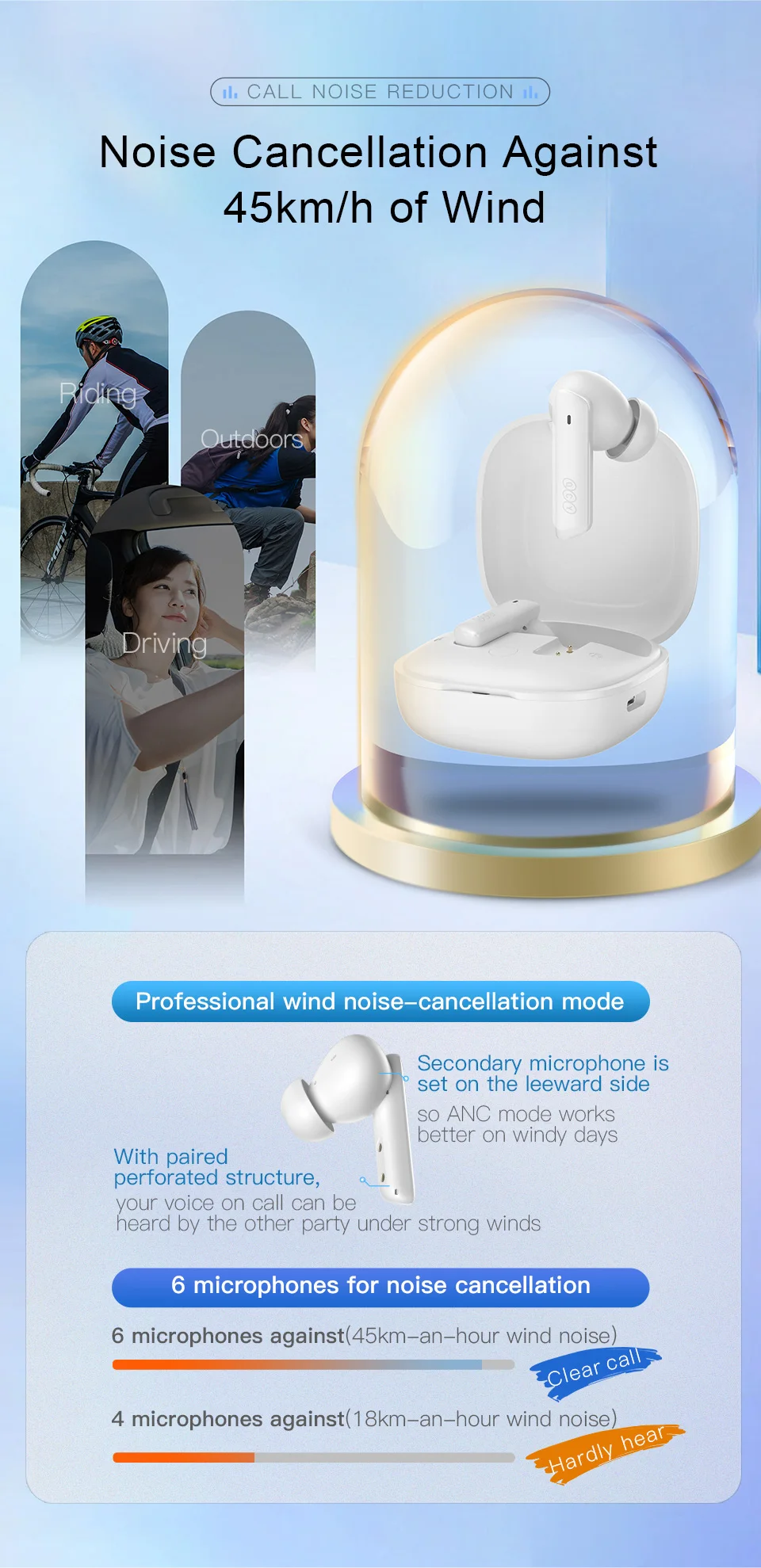
10mm LCP graphene dynamic driver
HIFI Quality, Offers Stunning Sound
Upgraded Transparency Mode
Volume Control & Boosted Vocals, Hear the ambient sound clearly while still enjoying the music. And there are 6 levels for your choice.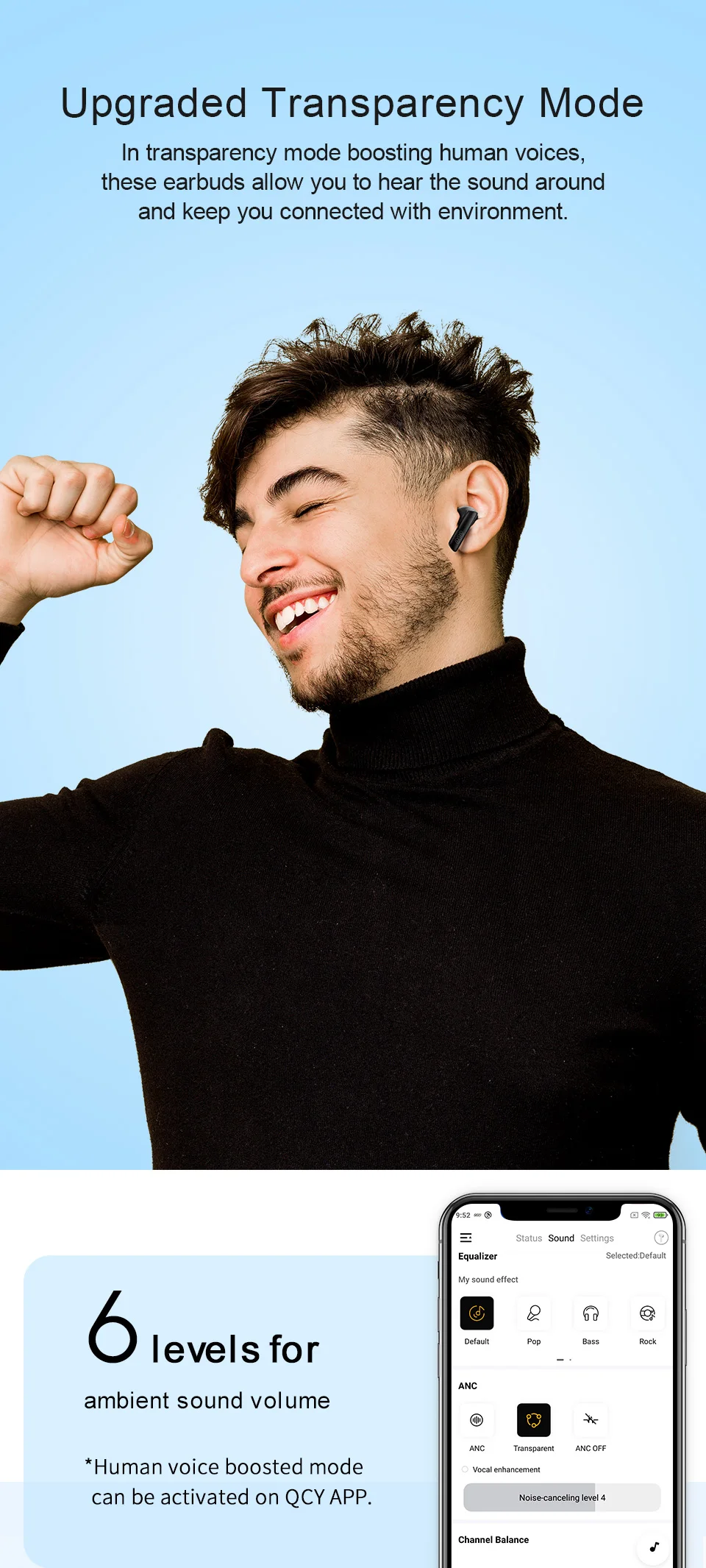
30 Hrs Playtime & USB-C Charge
With ANC off, charging case can ensure you to enjoy up to 30 hours of playback,
Turn on ANC, there are 24 hours of playback.
IPX5 Water and Sweat Proof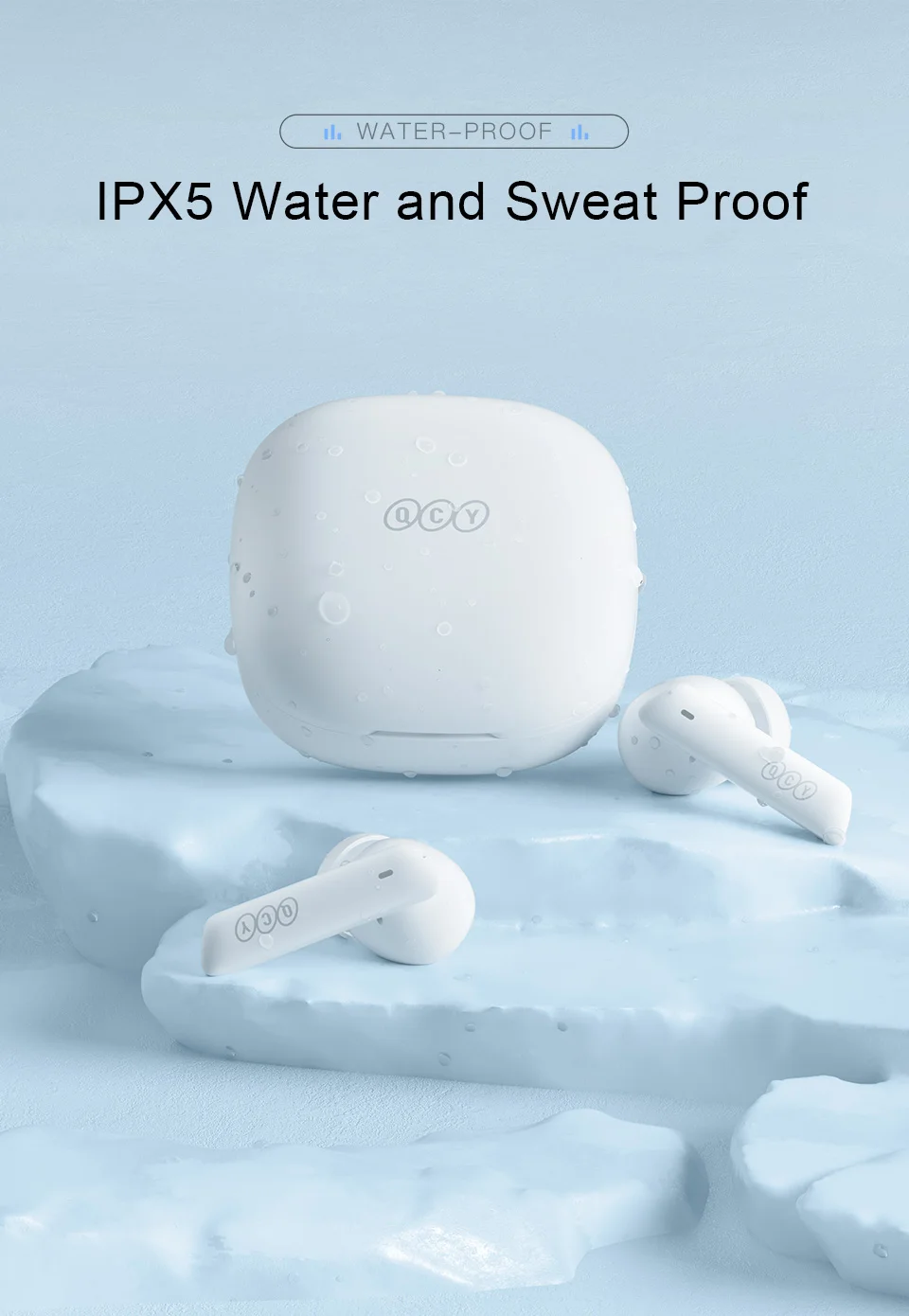
Pairing name: QCY MeloBuds ANC
Sensitive Touch Control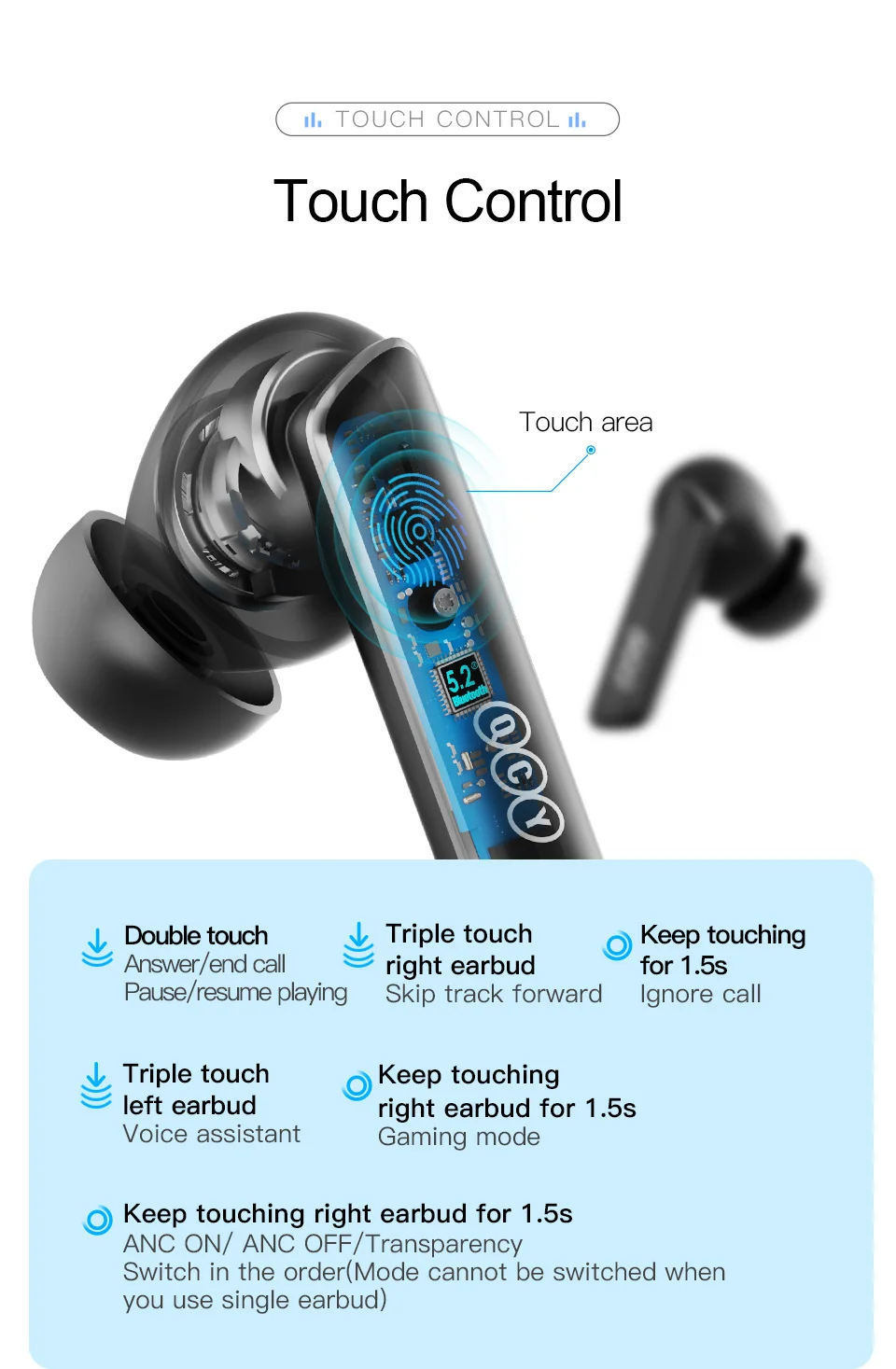
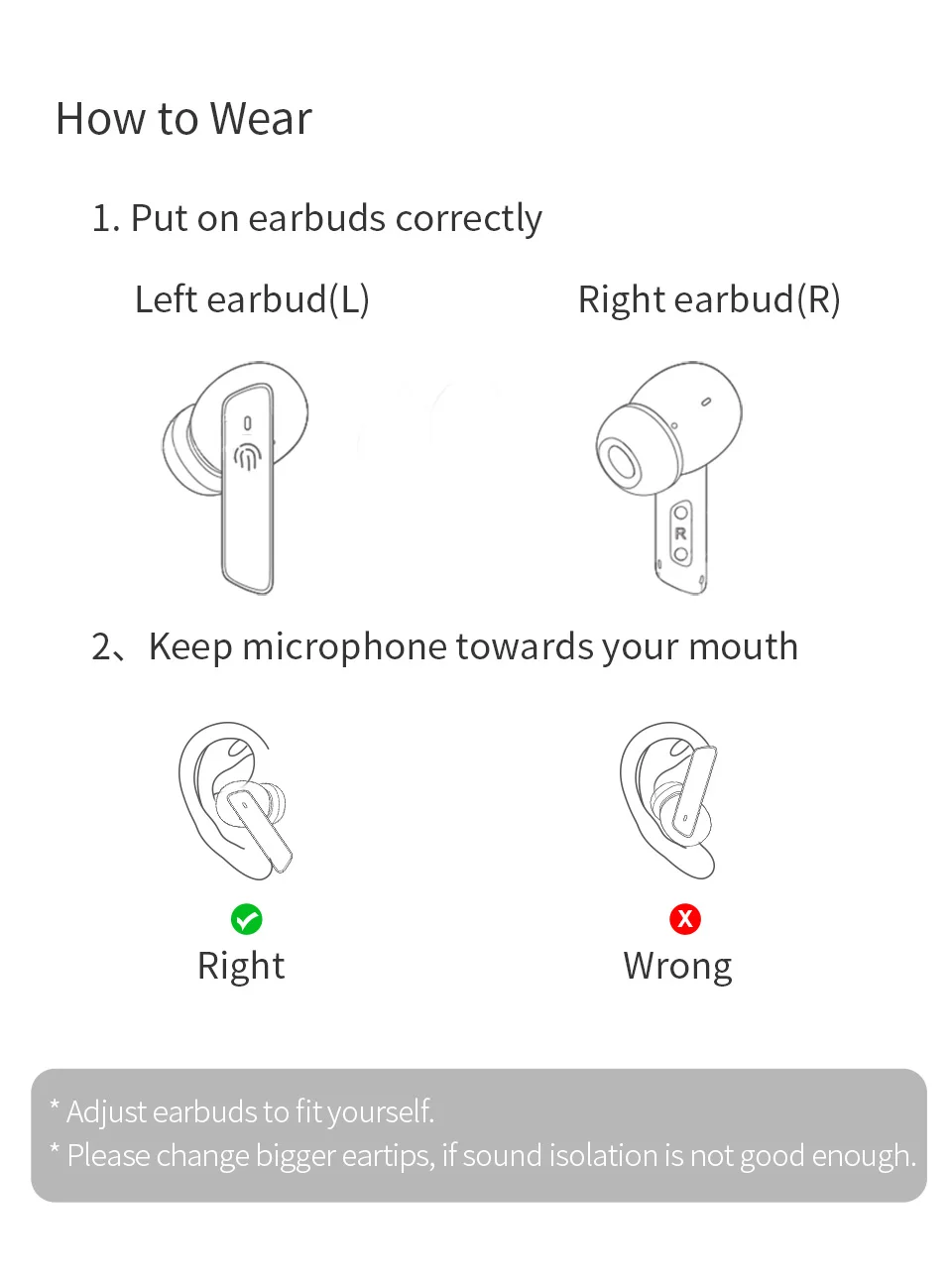
What's in the Box:
Earbuds * 1 pair, Charging case * 1
Eartips * 3 pairs S/M/L(one pair has been assembled)
Type-C cable * 1
User manual * 1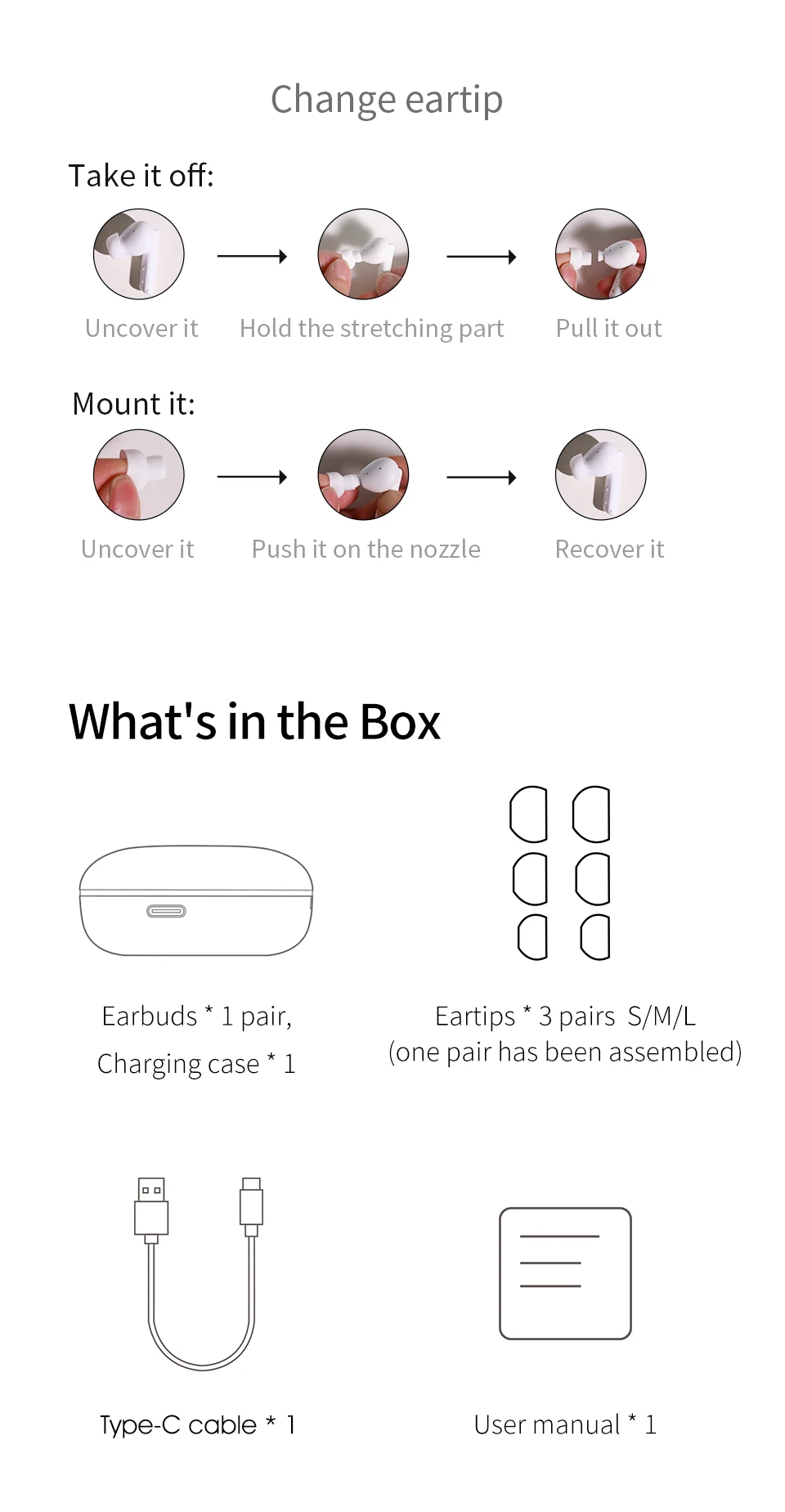
Parameters
Product name: QCY HT05 MeloBuds ANC
Certified model:BH21HT05A
Pairing name: QCY MeloBuds ANC
Bluetooth version: 5.2
Available system: iOS/ Android
Operation range: 10m
Battery life(Playback by single charge): 4.5hr of calling, 8hr of playback(ANC OFF), Music time: 6hr(ANC ON).
Total Battery life: 30 hours of playback(ANC off);
24 hours of playback(Turn on ANC).
Bluetooth profiles: HFP/HSP/A2DP/AVRCP
Battery capacity(case): 350mAh
Battery capacity(earphone):43mAh
Top-ups by case: 3(for both earbuds)
Charging port: Type-C
Earbud size: 22.9*22.2*35.1mm
Case size: 55.1*54.96*28.44mm
* For the best compatibility, we recommend you to connect the earbuds with phone rather than computer. FAQ:
FAQ:
Q: What should I do if the headset received unable to turn on?
A: Confirm that the charging case has power left, press the button on the case and check if at least one LED is illuminated.
If charging case power off, please put the earphones in charge case and charging for 1 hour. Before charging, please Remove the stickers on new earphones.
Connect the case with your included USB cable and plug it into a USB power source.
Q: What should I do if Sound comes from only one earphone?
A: Put both earphones back into the charging case and close the cover, then take them out again to check whether both ears have sound. If only one earphone still has sound, please restore the factory settings for both earphones.
Q: How to solve the problem that the mobile phone prompts that it cannot connect?
A: Delete the pairing record on the mobile phone, and then search for pairing and connect again.
Q: How to solve the problem that there is no sound when listening to music or calling?
A: There is a settings icon on the right side of the Bluetooth connection name on Android phones. Click to enter, turn off the mobile phone audio and media audio, and then turn them on again. If there is still no sound, please re-pair the earphones with the mobile phone.
Q: Why is there a delay in video or games?
A: Affected by factors such as the use environment, network and mobile phone Codec, there will be different degrees of delay when the mobile phone transmits audio data to the earphone.
Q: How to solve the problem of stuck or intermittent sound?
A: If there are a lot of Wi-Fi, 5G or 4G signals, high-power electrical appliances around, it may cause stuck and intermittent sound. Please Change the environment or re-pairing can solve the problem.
Other Tips:
1. Before using the earbuds, please read the manual carefully and keep it for future references.
2. The earbuds need to be fully charged prior to first-time use.
3. lf the earbuds are left unused for over two weeks, please recharge.
4. Please use the chargers made by qualified manufacturer.
5. lf earbuds fail to be found by phone, please re-turn them connectable or restore factory settings.
6. lf a program error of phone occurs, please turn off and on Bluetooth function or reboot the phone.